
HIPAA Readiness in Round Rock, TX: A Virtual CISO’s Guide to Compliance for Healthcare Providers and PHI Handlers
Author: Daniel Ihonvbere, Virtual Chief Information Security Officer (vCISO)
Reading Time: ~10 minutes
Ideal For: Healthcare administrators, clinic managers, compliance officers, IT leaders, and business associates working with PHI in Round Rock, Austin, Georgetown, Pflugerville, and surrounding Texas cities.
When it comes to HIPAA compliance, the stakes are high—and not just in terms of fines. Patient trust, operational integrity, and even your practice’s reputation hinge on your ability to secure Protected Health Information (PHI) and maintain regulatory alignment.
As a Virtual CISO guiding organizations in and around Round Rock, Texas, I’ve seen firsthand that HIPAA compliance is not a one-time checkbox—it’s an ongoing, risk-based journey.
As your virtual CISO, I’ll guide you through a systematic HIPAA compliance journey that balances security requirements with business operations. This post breaks down what HIPAA readiness means and provides a comprehensive and actionable roadmap to achieve and sustain HIPAA readiness, tailored to healthcare entities and their partners.
Let’s walk through the 10 essential steps of becoming HIPAA-ready—with clarity, confidence, and compliance.
What Does HIPAA Readiness Mean?
HIPAA Readiness refers to an organization’s preparedness to comply with the requirements of the Health Insurance Portability and Accountability Act (HIPAA)—specifically in how it handles, protects, and secures Protected Health Information (PHI).
In plain terms:
If your organization is “HIPAA ready,” it means you’re operationally, technically, and administratively prepared to meet all HIPAA compliance standards, and can demonstrate that preparedness if audited, investigated, or involved in a breach event.
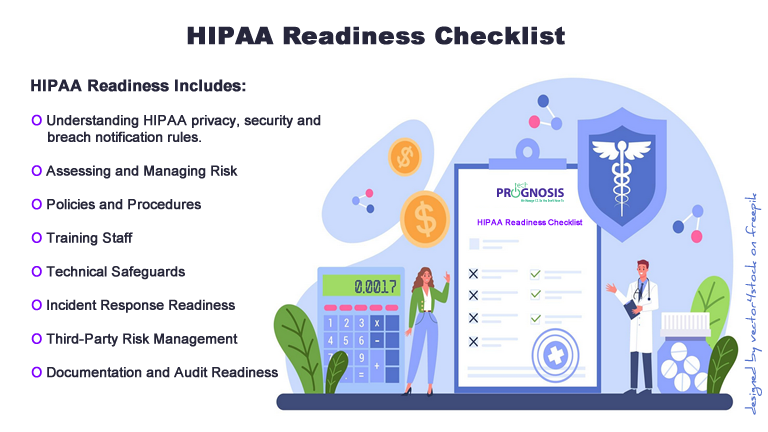
HIPAA Readiness Includes:
-
Understanding HIPAA Rules
-
Privacy Rule: Controls how PHI is used and disclosed.
-
Security Rule: Sets safeguards for electronic PHI (ePHI).
-
Breach Notification Rule: Requires you to notify affected individuals, HHS, and possibly the media if a breach occurs.
-
-
Assessing and Managing Risk
-
Performing regular risk assessments to identify vulnerabilities.
-
Addressing those risks with appropriate technical and administrative safeguards.
-
-
Policies and Procedures
-
Having formal documentation for how PHI is handled, who has access, and how violations are addressed.
-
Keeping these policies current and enforcing them.
-
-
Training Staff
-
Ensuring everyone who handles PHI knows what HIPAA requires and how to comply in their specific role.
-
-
Technical Safeguards
-
Using encryption, access controls, audit logs, and secure systems to protect ePHI.
-
-
Incident Response Readiness
-
Having a breach response plan in place and tested.
-
-
Third-Party Risk Management
-
Ensuring all vendors with access to PHI have signed Business Associate Agreements (BAAs) and follow HIPAA standards.
-
-
Documentation and Audit Readiness
-
Being able to demonstrate compliance through documented practices, logs, and training records.
-
Why HIPAA Readiness Matters
-
Legal Compliance: Avoid fines, penalties, and legal action.
-
Patient Trust: Patients expect their information to be protected.
-
Business Continuity: A HIPAA breach can disrupt operations or damage your reputation.
-
Audit Preparedness: HIPAA readiness ensures you can respond to OCR audits or investigations with confidence.
Bottom Line About HIPAA Readiness:
HIPAA Readiness means you’re not just aware of HIPAA—but equipped to live it daily, across technology, people, and processes. It’s about proactive compliance rather than reactive remediation.
If you’re unsure where your organization stands, starting with a HIPAA readiness assessment is the best first step.
HIPAA Readiness Roadmap: A Virtual CISO Approach
As your virtual CISO, I’ll guide you through a systematic HIPAA compliance journey that balances security requirements with business operations.
Let’s walk through the 10 essential steps of becoming HIPAA-ready—with clarity, confidence, and compliance.
Here’s my structured approach:
1. Initial Assessment and Gap Analysis
Start with a baseline.
Before making improvements, you need to understand where you currently stand. A HIPAA Gap Analysis is your foundation.
Key Activities:
-
Inventory of PHI: Identify all systems, processes, and third parties where PHI is created, received, maintained, or transmitted.
-
Regulatory Mapping: Compare your current controls to the HIPAA Security Rule (45 CFR §§ 164.302–318), Privacy Rule (45 CFR Part 160 and Subparts A and E of Part 164), and Breach Notification Rule (45 CFR §§ 164.400–414) regarding covered entities and business associates.
-
Evaluate existing controls: Do you already have encryption, audit logs, access restrictions, or incident tracking in place?
Tools:
-
OCR Gap Analysis Checklist
-
HITRUST CSF (optional but useful)
Deliverable: Gap analysis report highlighting where your organization meets, partially meets, or fails to meet HIPAA requirements.
2. Risk Assessment Framework
Risk assessment isn’t optional—it’s required. HIPAA mandates a risk analysis (45 CFR § 164.308(a)(1)(ii)(A)) as the cornerstone of your security program.
Risk Framework Recommendation:
Use the NIST SP 800-30 Risk Assessment Methodology, adapted for healthcare.
Process:
-
Identify threats and vulnerabilities to PHI (e.g., ransomware, insider misuse, lost devices).
-
Determine the likelihood and impact of each threat event.
-
Evaluate current controls and assign residual risk ratings.
-
Prioritize remediation based on criticality.
Deliverable: Risk assessment report with a prioritized remediation roadmap.
3. Technical Safeguards Implementation
The Security Rule outlines specific technical safeguards (45 CFR § 164.312) that must be in place to protect ePHI (electronic Protected Health Information).
Core Technical Safeguards:
-
Access Controls: Unique user IDs, role-based access, session timeouts.
-
Audit Controls: Logging and monitoring of PHI access and changes.
-
Integrity Controls: Hashing and versioning to detect unauthorized data changes.
-
Transmission Security: Use TLS/SSL for data in transit; AES-256 encryption at rest.
-
Authentication: Multi-factor authentication (MFA) for all admin and remote access.
Tools & Technologies:
-
Endpoint Detection & Response (EDR) tools like CrowdStrike or SentinelOne
-
Secure cloud storage with audit logging
Deliverable: Technical safeguard implementation checklist and validation.
4. Administrative and Physical Controls for HIPAA Readiness
It’s not all tech—people and processes play a vital role.
Administrative Safeguards (45 CFR § 164.308):
-
Appoint a Security Official and Privacy Officer.
-
Define and implement policies and procedures.
-
Conduct regular risk assessments and workforce training.
Physical Safeguards (45 CFR § 164.310):
-
Restrict physical access to systems housing PHI.
-
Implement screen privacy filters and secure workstations.
-
Secure disposal of PHI (e.g., shredders, media wiping tools).
Pro Tip: In Round Rock and the broader Central Texas area, consider regional weather-related risks—like floods or power outages—as part of your physical security planning.
Deliverable: Documented administrative and physical safeguard procedures.
5. Documentation and Policies
HIPAA compliance lives in policies and documentation—and so does your audit defense.
Required Policies Include:
-
HIPAA Privacy and Security Policies
-
Data Breach Response Plan
-
Password and Access Control Policy
-
Data Retention and Disposal Policy
-
Remote Work and Mobile Device Use Policy
Format:
-
Clear, accessible, and regularly reviewed.
-
Approved by leadership and distributed to relevant staff.
Deliverable: Complete HIPAA policy set, reviewed annually or upon significant operational changes.
6. Training and Awareness
Compliance is a team sport. The most secure system can be undone by human error—training mitigates that risk.
HIPAA Training Requirements (45 CFR § 164.530(b)):
-
Initial and annual refresher training for all employees.
-
Role-based training for staff accessing PHI regularly.
-
Proof of training completion with quiz or sign-off.
Recommended Content:
-
What is PHI?
-
How to handle PHI securely (digital and physical).
-
Reporting suspicious activity or a suspected breach.
-
Use of email, fax, and cloud platforms in a compliant way.
Deliverable: Training logs, materials, and sign-in sheets (digital or physical).
7. Incident Response Planning and HIPAA Readiness
Prepare before the breach.
HIPAA requires organizations to have a breach response plan (45 CFR §§ 164.400–414). In Texas, there are also state-specific breach notification laws that require prompt action.
Incident Response Plan Should Include:
-
Detection and classification of the incident
-
Containment and eradication procedures
-
Notification timelines (individuals, HHS, and potentially Texas Attorney General)
-
Post-incident review and updates to controls
Incident Examples:
-
Lost laptop with unencrypted PHI
-
Email sent to the wrong patient
-
Unauthorized access by a former employee
Deliverable: Incident Response Plan and breach log (OCR requires a log even if no incidents occurred).
8. Ongoing Compliance Monitoring and HIPAA Readiness
HIPAA isn’t “set it and forget it.” It requires continuous vigilance.
Monitoring Activities:
-
Quarterly audits of system access logs
-
Monthly PHI access reports
-
Annual risk re-assessments
-
Policy reviews and updates
-
Review of third-party vendors
Tools:
-
SIEM tools like Splunk or Microsoft Sentinel
-
Compliance dashboards (e.g., Compliancy Group, Vanta)
Deliverable: Compliance calendar and monitoring dashboard/reporting cadence.
9. Business Associate Agreements (BAAs)
If you share PHI with third-party vendors (e.g., EHR providers, billing services, cloud platforms), they are Business Associates under HIPAA.
BAA Requirements (45 CFR § 164.502(e), § 164.308(b)):
-
Must be in place before PHI is shared
-
Clearly define permissible uses of PHI
-
Require the vendor to implement safeguards and report breaches
Who Needs a BAA?
-
IT service providers with access to PHI
-
Cloud platforms storing ePHI
-
Billing and transcription services
-
Telehealth platforms
Deliverable: Centralized, signed BAA repository with review dates.
10. Audit Preparation and HIPAA Readiness
Being audit-ready is better than being audit-surprised.
HIPAA Audit Triggers:
-
Patient complaints
-
Data breaches or media coverage
-
Random audits by HHS OCR
Preparation Steps:
-
Maintain a HIPAA compliance binder (digital or physical)
-
Keep documentation organized and accessible
-
Conduct internal or third-party mock audits
-
Stay current on OCR enforcement trends
What HIPAA Readiness Auditors May Ask For:
-
Risk assessments
-
Policies and procedures
-
Training records
-
System access logs
-
Breach documentation (if applicable)
Deliverable: HIPAA audit readiness package with document index.
Final Thoughts: HIPAA Readiness is Ongoing
For healthcare providers and PHI-handling organizations in the Round Rock–Austin corridor, HIPAA compliance is a shared responsibility across IT, compliance, legal, and operational teams.
It’s not just about avoiding penalties—it’s about building trust, protecting your patients, and demonstrating operational maturity in a highly regulated space.
The good news? You don’t have to go it alone.
👉 Call to Action: Let’s Talk HIPAA Readiness
Whether you’re a small clinic, large provider, or third-party service working with healthcare clients, we can help guide your journey.
📞 Schedule a free 15-minute HIPAA discovery call with a vCISO to assess your current posture and map your next steps.
➡️ Click here to book your call
👤 About the Author
Daniel Ihonvbere, CISM, CISSP, Qualys is a Virtual Chief Information Security Officer (vCISO) with over a decade of experience helping healthcare organizations and business associates navigate complex compliance and cybersecurity requirements. Specializing in HIPAA, NIST, and risk-based frameworks, Daniel partners with clinics, providers, and service vendors across Texas—particularly in Round Rock, Austin, and the greater Central Texas region—to build practical, defensible, and scalable security programs. When not advising clients, Daniel contributes to healthcare IT thought leadership and hosts workshops on compliance readiness and data privacy.
Connect on LinkedIn | www.techprognosis.com
