
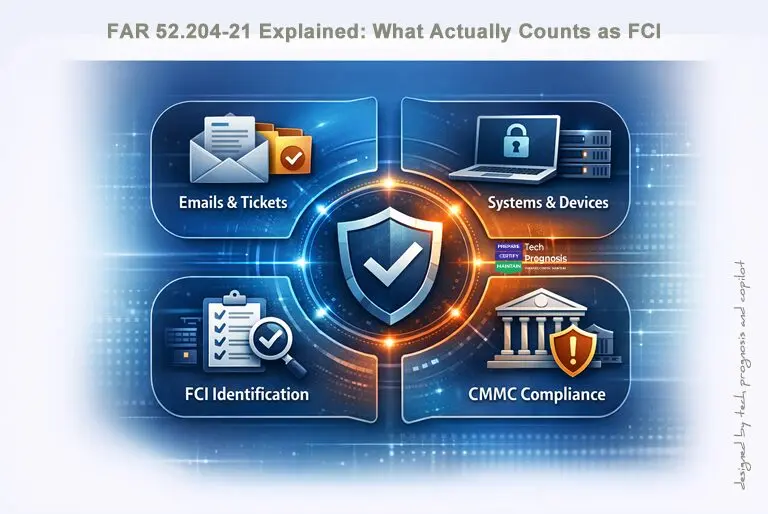
FAR 52.204‑21 Explained: What Actually Counts as FCI (With Real Contractor Examples)
If you’ve ever thought “we don’t have Controlled Unclassified Information (CUI), so we’re off the hook,” this article is for you. FAR 52.204‑21 sets baseline safeguards for contractor systems that process Federal Contract Information (FCI)—and FCI shows up in more places than you might expect. [acquisition.gov]
Why contractors keep misclassifying FCI
The most common mistake we see: teams assume that if CUI isn’t in scope, no cyber obligations apply. But FCI alone triggers the Basic Safeguarding of Covered Contractor Information Systems clause—FAR 52.204‑21—whenever your systems process, store, or transmit it.
Bottom line: If FCI touches your email, ticketing, endpoints, file shares, or cloud tools, those systems inherit baseline safeguarding requirements.
What FAR 52.204‑21 actually says (plain English)
Federal Contract Information (FCI) is information not intended for public release that is provided by or generated for the Government under a contract—excluding info the Government makes public (e.g., on public websites) and simple transactional information (e.g., data necessary to process payments).
FAR 52.204‑21 then requires contractors to implement basic safeguarding on any covered contractor information system that processes, stores, or transmits FCI—and to flow the clause down to applicable subcontracts (including commercial products/services), except COTS.
How FCI connects to CMMC Level 1
CMMC Level 1 is the DoD’s verification of “basic cyber hygiene” for FCI. It implements 17 Level‑1 practices that align to FAR 52.204‑21’s safeguarding requirements (FAR’s 15 requirements are expressed as 17 practices and 59 assessment objectives in the CMMC guides). [dodcio.defense.gov]
If you handle FCI for DoD work, expect CMMC Level 1 to apply—mapping directly to FAR 52.204‑21’s baseline controls.
Contractor‑friendly definition (with examples)
Think of FCI as non‑public, contract‑related information that enables you to perform the work. It often appears in:
- Purchase orders, task orders, delivery schedules, or basic specifications tied to a contract.
- Government‑issued templates, agendas, and meeting notes related to performance.
- Support tickets or emails that include contract identifiers, instructions, or workflow details.
Not FCI (typically):
- Publicly available information (e.g., from agency public websites).
- Marketing/product documentation you publish broadly.
- Simple transactional info strictly necessary to process payments (e.g., invoice totals), without non‑public performance detail.
The 5 places FCI shows up (without anyone noticing)
- Email — POs, SOW guidance, attachments, contracting officer instructions.
- Support tickets — Notes/screenshots showing program workflows, identifiers, or non‑public steps.
- Configuration files & exports — Logs/reports with project codes or environment details tied to the contract.
- Subcontractor communications — Flow‑down instructions, how‑to guidance to perform tasks.
- Collaboration and storage — SharePoint/Teams/OneDrive/Google Drive and synced local endpoints.
Treat each of these systems as in scope the moment they process, store, or transmit FCI.
What FAR 52.204‑21 requires in practice (the 15 safeguards, decoded)
FAR 52.204‑21(b) lists 15 baseline safeguards. Here they are in plain language, with practical tips you can implement quickly:
- Limit system access to authorized users/devices. Keep current user/device inventories; disable stale accounts.
- Restrict authorized users to necessary functions. Enforce least privilege and role‑based access.
- Control/limit connections to external systems. Gate remote access; approve integrations explicitly.
- Control information on publicly accessible systems. Never post FCI to websites or public portals.
- Identify users/devices. Unique IDs for people and systems; no shared accounts.
- Authenticate users/devices. MFA where feasible; strong credentials everywhere FCI is accessed.
- Sanitize/destroy media with FCI. Secure erase or physical destruction before reuse/disposal.
- Limit physical access. Lock rooms/cabinets; secure visitor areas.
- Escort and log visitors; control physical access devices. Track badges/keys; keep visitor logs.
- Monitor/control/protect communications at boundaries. Firewalls, filtering, TLS, and network segmentation.
- Segment public‑facing components. Isolate public web apps from internal networks.
- Identify, report, and fix system flaws. Patch OS/apps/firmware on a defined cadence.
- Protect against malicious code. Managed anti‑malware and mail filtering.
- Keep anti‑malware current. Automatic signature and engine updates.
- Perform periodic and on‑access scans. Scan downloads/attachments; schedule regular full scans.
For DoD work, the CMMC Level 1 Assessment Guide expresses these as 17 practices with 59 objectives; use it as your test‑ready checklist.
Flow‑down (and the COTS exception)
FAR 52.204‑21 requires you to include the substance of the clause in subcontracts where the sub may have FCI—including commercial products/services—except for COTS items. Make sure your subs understand when their systems handle FCI and that they implement the baseline safeguards.
Three real‑world scenarios (and what they mean)
Scenario A — Email + ticketing only (no CUI).
Your team receives a PO and performance instructions (FCI) via email; support tickets reference non‑public milestones.
Implication: Systems handling FCI (email, ticketing, synced endpoints) need FAR 52.204‑21 safeguards; for DoD work, these map to CMMC Level 1.
Scenario B — Logs/exports with contract identifiers.
A simple log export contains project codes tied to a federal program. You store it on a shared drive and send it to the prime.
Implication: That storage and transfer path is in scope for FCI safeguards; validate access control, retention, and anti‑malware.
Scenario C — Subcontractor help desk.
Your sub runs help desk for your deliverable. Their ticketing system contains assignment details and non‑public performance notes (FCI).
Implication: Flow down FAR 52.204‑21 (unless the sub is truly COTS‑only). Confirm the sub’s controls—especially for email, ticketing, and endpoints.
Quick mapping: FAR 52.204-21 → CMMC Level 1 (for DoD work)
- Scope driver: FCI in your systems → FAR 52.204‑21 applies.
- Verification: DoD expects CMMC Level 1 practices that reflect these safeguards (17 practices/59 objectives).
Implementing FCI safeguards without breaking your workflow
- Email: Enforce MFA, disable legacy auth, DLP for obvious FCI patterns, and sensible retention.
- Ticketing: Block public submission channels or sanitize them; restrict attachments; set short retention for closed tickets.
- Endpoints: Encrypt drives, standardize builds, automate patches, and monitor AV/EDR health.
- Storage/Collab: Least‑privilege access; segment shared libraries; set lifecycle policies to avoid “keep forever.”
- Vendors/Subs: Document FCI handling in contracts and flow down the clause; confirm baseline controls.
One‑page FCI checklist (share with your team)
- Does this info come from the Government or was it generated for them under a contract?
- Is it not intended for public release?
- Is it more than simple payment processing data?
- Does it appear in email, tickets, logs, reports, or shared folders?
- Are the systems that touch it covered by the 15 basic safeguards?
- For DoD work, have we aligned to CMMC Level 1 (17 practices)?
- Have we flowed down the clause (subs that may handle FCI; COTS excepted)?
Conclusion on FAR 52.204‑21
Federal Contract Information (FCI) shows up far more often—and in far more systems—than most contractors expect. What begins as a simple purchase order, an emailed instruction, or a support ticket attachment can quickly place email, laptops, ticketing systems, file shares, and cloud workspaces squarely under the safeguarding requirements of FAR 52.204‑21.
The good news is that the clause is straightforward when you break it down into real‑world examples. By identifying where FCI appears in your workflows, applying the 15 basic safeguarding requirements, and validating your flow‑down obligations, you eliminate the majority of audit findings before they ever become a problem. And if you support DoD contracts, these same expectations map directly to CMMC Level 1—giving you a clear, actionable path toward meeting today’s baseline cybersecurity requirements.
Getting FCI right isn’t just about compliance. It’s about protecting your reputation, reducing project risk, strengthening your position with primes, and building the trust needed to win more federal work.
Call to Action
FCI is everywhere in day‑to‑day performance artifacts—emails, tickets, exports, and shared workspaces. The moment FCI lands in your ecosystem, FAR 52.204‑21 applies, and for DoD work it maps to CMMC Level 1 practices. Get the basics right, flow them down, and you’ll eliminate most audit findings before they start.
If you found this guide useful, here are the next steps to strengthen your federal contracting posture:
📄 Download the 1‑Page FCI Identification Checklist
A quick‑reference sheet you can share across your team to reduce confusion and ensure consistent classification.
🛡️ Request an “FCI in Your Stack” Review
We’ll walk through your email, ticketing, endpoints, and storage workflows to identify overlooked FCI pathways and low‑effort compliance wins.
📘 Explore the CMMC Level 1 Evidence Guide and Workbook
A practical, contractor‑friendly example pack showing exactly what auditors expect to see for each Level 1 practice.
📣 Share This Article With Your Subcontractors
If you’re a prime, this guide helps subs understand what FCI really is—and reduces downstream risk (and headaches).
References
- FAR 52.204‑21 — Basic Safeguarding of Covered Contractor Information Systems
Acquisition.gov. Requirements, clause text, and flow‑down conditions. - Definition of Federal Contract Information (FCI)
Acquisition.gov. Clarifies “provided by” or “generated for” the Government and what is excluded. - CMMC Level 1 Practices & Mapping to FAR 52.204‑21
DoD CIO — CMMC Model Documentation. Establishes the 17 Level 1 practices and mapping to the 15 FAR safeguards. - FAR Clause Application & Subcontractor Flow‑Down
Acquisition.gov. Requirements for including the clause in applicable subcontracts and the COTS exemption. - Real‑World Scenarios Showing FCI in Contractor Workflows
Email, ticketing, logs, subcontractor communications, and storage examples.
About the Author
Daniel Ihonvbere, CISM, CISSP, is a cybersecurity and governance professional specializing in CMMC, NIST 800‑171, and DFARS‑aligned security programs. With more than a decade of experience serving small and mid‑sized government contractors, Daniel helps organizations interpret, operationalize, and sustain the requirements found in 32 CFR Part 170, the CMMC Model, and the CMMC Assessment Process (CAP).
Based in Central Texas, he works with defense industrial base (DIB) organizations to transform regulatory requirements into clear governance, defensible evidence, and audit‑ready practices. His approach emphasizes sustainability—programs that leadership understands, teams can operate year‑round, and assessors can verify without confusion.
He publishes practical guidance on CMMC, NIST 800‑171, DFARS 252.204‑7012, and the evolving requirements affecting the defense supply chain—breaking down complex expectations into actionable steps that compliance leaders, business owners, and IT teams can implement with confidence
Connect with Daniel on LinkedIn for CMMC insights | www.techprognosis.com
