
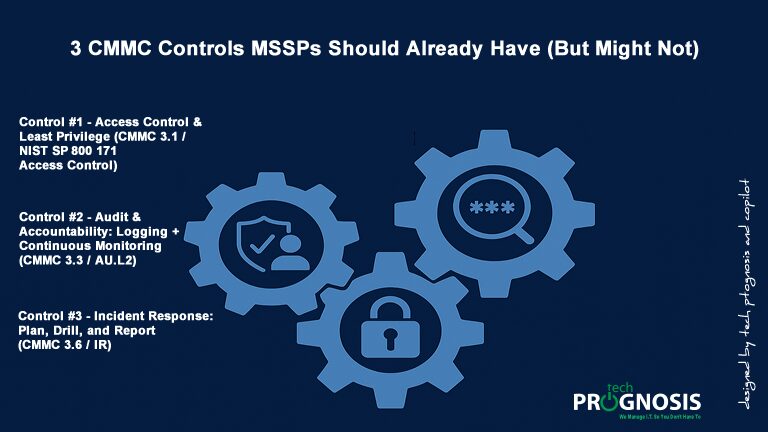
3 CMMC Controls MSSPs Should Already Have (But Might Not) — Plus Real‑World Case Studies
Hey there, MSSP heroes! Let’s cut to the chase: If you’re prepping for a CMMC audit, you’re already ahead of the game. But here’s the kicker—many MSSPs (just like you!) might be missing a few key CMMC controls staring them right in the face.
CMMC isn’t just about checking boxes—it’s about proving you’re trustworthy enough to protect sensitive government data. And while you’ve likely got solid security practices in place, CMMC’s specific requirements can trip you up if you’re not paying attention.
As a CISM & CISSP‑holding MSSP myself, I know how overwhelming the CMMC landscape can feel. There are so many controls! But here’s the good news: You probably already have the foundation for several critical CMMC controls… you just might not realize it!
In this post, we’ll uncover three essential CMMC controls that every MSSP should have in their toolbox — yet many overlook. I’ll break each one down with real‑world examples, a simple analogy, and actionable tips. Let’s turn “uh‑oh” into “I’ve got this!”
CMMC 2.0 aligns directly to NIST SP 800‑171 (Rev. 3), and DoD has issued Organization‑Defined Parameters (ODPs) to clarify how contractors should tailor specific requirements. Getting the fundamentals right—Access Control, Audit & Accountability, and Incident Response—will harden your practice and help you pass Level 2 assessments that protect Controlled Unclassified Information (CUI).
CMMC Control #1 — Access Control & Least Privilege (CMMC 3.1 / NIST SP 800‑171 Access Control)
What It Is (Plain English):
Make sure only the right people can access only the data they need, at the right time, and from approved paths. This includes account lifecycle management, role‑based access control (RBAC), privileged access governance, and strong multi‑factor authentication (MFA)—preferably phishing‑resistant (FIDO2/WebAuthn or PKI) for admin and remote access touching FCI/CUI.
Why MSSPs Miss It:
Day‑one setups age quickly: users change roles, projects end, vendors churn, and temporary privileges linger. MSP/MSSP pathways (RMM tools, support consoles, cloud admin portals) are prime targets, which is why CISA and partner agencies warn that adversaries increasingly exploit provider‑customer trust relationships and advise disabling stale accounts and enforcing MFA for any MSP access into customer environments.
Real‑World Case Study #1: Wipro (2019)
Investigations reported that attackers phished employee accounts at IT outsourcer Wipro and then used remote access tooling (ScreenConnect/ConnectWise Control) to pivot into at least a dozen customer networks. The episode underscores why MSSPs must harden their own identity and remote‑access paths as rigorously as client environments.
Real‑World Case Study #2: Okta Support Unit (2023) & LAPSUS$ via Sitel (2022)
Okta disclosed that a support system breach led to unauthorized access to files from 134 customers and exposure of customer support user lists, raising phishing/social‑engineering risks. The 2022 incident tied to LAPSUS$ involved compromise of a third‑party support engineer’s laptop, with limited but sensitive support privileges—a reminder that even constrained support accounts can reset MFA factors and view customer information.
Simple Analogy:
Treat your client’s network like a house with multiple doors. You don’t hand a master key to everyone; you issue specific keys to specific doors for specific roles, then collect them back the moment those roles change.
How to Implement This CMMC Control TODAY (Action Plan):
- RBAC Everywhere: Formalize job‑role bundles (SOC L1/L2, IR lead, client admin). Map users to roles—not ad‑hoc permissions—and document in your System Security Plan (SSP). [csrc.nist.gov]
- Phishing‑Resistant MFA for Admin/Remote: Prioritize FIDO2/WebAuthn or PKI for privileged and remote pathways; SMS and OTPs are better than nothing but remain vulnerable to AiTM and fatigue attacks. [cisa.gov], [nsa.gov]
- Quarterly Access Reviews & Immediate De‑provisioning: Remove stale rights; disable inactive accounts; integrate HR exit events with IAM so accounts drop the moment employment ends. [cisa.gov]
- Harden MSP Admin Paths: Restrict from trusted devices/locations, require device compliance, and log every privileged action for review. [nsa.gov]
Pro Tip:
When auditors ask, show how your access policy and procedures align to NIST SP 800‑171 Rev. 3 Access Control objectives and reference the DoD ODPs (e.g., conditions for disabling accounts). It demonstrates a tailored and risk‑based implementation. [csrc.nist.gov], [dodcio.defense.gov]
Control #2 — Audit & Accountability: Logging + Continuous Monitoring (CMMC 3.3 / AU.L2)
What It Is (Plain English):
You must create and retain audit logs sufficiently to monitor, detect, investigate, and report unauthorized activity. Define auditable events, log content, retention, review cadence, and protect logs from tampering. CMMC Level 2 maps to NIST SP 800‑171’s AU controls and expects configurations to enforce retention—policy alone isn’t enough. [cmmcwiki.org], [ndisac.org], [cuicktrac.com]
Why MSSPs Miss It:
Teams collect logs but don’t review them consistently or retain them long enough. Defaults for cloud services may be 30 days, and SIEM costs lead to inconsistent tiering. Assessors ask for evidence that retention is configured, not just declared in policy.
Real‑World Case Study #1: Kaseya VSA (2021)
The REvil ransomware group exploited Kaseya VSA RMM software, pushing ransomware to MSPs and thousands of downstream businesses via a supply‑chain vector. CISA/FBI guidance urged MFA, allowlisting for RMM admin interfaces, and rapid patching and backup restore workflows—exactly the kinds of controls you instrument and validate through logging, analytics, and alerting.
Real‑World Case Study #2: ConnectWise ScreenConnect (2024–2025)
Critical ScreenConnect vulnerabilities (e.g., CVE‑2024‑1709 authentication bypass; CVE‑2025‑3935 ViewState injection) were actively exploited, prompting CISA to add them to its Known Exploited Vulnerabilities (KEV) catalog and urge immediate patching. For MSSPs, that means your SIEM should alert on new sessions to RMM admin interfaces, unexpected source IPs, and configuration changes—and your retention must support post‑incident forensics.
Simple Analogy:
Audit logs are your security cameras. Filming everything is useless if no one watches the feed and you delete footage before investigators arrive.
How to Implement This Control TODAY (Action Plan):
- Centralize in a SIEM: Aggregate endpoints, identity, firewalls, RMM, SaaS, and cloud telemetry. Microsoft’s documentation notes Sentinel includes 90 days of interactive retention at no additional cost and supports long‑term tiering—use that to meet policy and cost goals.
- Codify Retention & Prove It: Set ≥ 90 days interactive for high‑value tables and longer archival as required; capture screenshots/config exports to demonstrate retention is enforced (not just written). Practitioners often start at 90 days interactive + 90 days–1 year archive while final requirements are approved.
- Alert on High‑Risk Events:
- 5+ failed logins, off‑hours admin actions, privilege escalations, new device joins on protected segments, and RMM admin access from unrecognized locations.
- Protect Logs: Use immutable storage, restricted access, and audit trails; guidance for MSPs emphasizes delivering visibility and log availability over extended periods to customers.
Pro Tip:
CMMC doesn’t mandate a specific SIEM, but a SIEM is the fastest way to show correlation, alerting, retention, and review cadence at the level assessors expect for AU controls. Microsoft community guidance shows how Sentinel can support CMMC use cases.
CMMC Control #3 — Incident Response: Plan, Drill, and Report (CMMC 3.6 / IR)
What It Is (Plain English):
Document your IR plan (roles, playbooks, contact lists), exercise it regularly, and report incidents per contractual/regulatory requirements. Use NIST SP 800‑61 (Rev. 3) to structure preparation, detection, analysis, containment, eradication, and recovery—and match DFARS obligations if CUI or covered defense information is involved.
Why MSSPs Miss It:
Plans exist but aren’t drilled; contacts aren’t current; and reporting paths are unclear. That becomes painful when ransomware strikes, DFARS clocks start, and evidence needs preservation.
Real‑World CMMC Controls Case Study #1: DFARS 252.204‑7012 — The 72‑Hour Clock
Under DFARS 252.204‑7012, contractors handling covered defense information must report cyber incidents to DoD within 72 hours of discovery—and cooperate with damage assessments, preserve evidence, and submit malware to DC3 (Department of Defense Cyber Crime Center) if discovered. The clause appears widely in DoD contracts and is up‑to‑date in acquisition.gov and eCFR. Build this timer into your playbooks.
Real‑World CMMC Controls Case Study #2: Colonial Pipeline (2021)
The DarkSide ransomware incident at Colonial Pipeline highlighted how lack of MFA on a VPN and rapid lateral movement can force business‑wide shutdowns and trigger national responses. While Colonial wasn’t a DoD contractor example, it’s a vivid illustration of why tabletop exercises, strong authentication, and clear comms matter—before you’re facing the headline.
Simple Analogy:
Having a fire extinguisher is great. But if you’ve never practiced using it or don’t know who to call, you’ll lose critical minutes. Practice beats panic.
How to Implement This Control TODAY (Action Plan):
- Publish IR Playbooks: Ransomware, credential theft, cloud misconfiguration. Include decision trees, containment steps, evidence handling, and DFARS reporting instructions (e.g., via DIBNet/DCISE). Base your structure on NIST SP 800‑61 Rev. 3.
- Create a Live Contact Matrix: Client POCs, legal, cyber insurance, law enforcement/DoD reporting portals, MSSP execs—keep phone + email + secure chat entries current.
- Drill Quarterly: Run 60‑minute tabletops across scenarios (ransomware; admin credential theft), capture lessons learned, and update the SSP and procedures.
- Know Your Other Timers:
- Federal agencies follow a one‑hour notification guideline; CIRCIA (proposed rules) set 72‑hour incident and 24‑hour ransomware payment reporting for covered critical‑infrastructure entities. Keep these regimes distinct in your plan.
Pro Tip:
Make log retention and SIEM searches part of IR drills. If you can’t retrieve 90+ days of relevant logs within minutes, adjust your tiering and content. (Sentinel’s retention tiers and long‑term archival options help here.).
What CMMC Controls Auditors Often Ask to See (and How to Show It)
- Access Control Evidence: RBAC matrices, quarterly reviews, de‑provisioning records, MFA policy and admin‑path enforcement (FIDO2/PKI where feasible).
- Audit/Logging Evidence: Defined auditable events, log content, and retention settings (screenshots/exports), plus SIEM alerts and weekly/daily review logs.
- IR Evidence: Playbooks, contact lists, tabletop agendas and after‑action notes, DFARS reporting procedures (with examples or redacted submissions if applicable).
Prominent CMMC Controls Call‑to‑Action
Want a fast, practical CMMC readiness check?
Book a free 15‑minute discovery call and we’ll:
- Map your Access Control gaps (RBAC, MFA, admin pathways)
- Verify SIEM retention & alerting across critical log sources
- Pressure‑test your Incident Response plan against DFARS/CIRCIA timers
References
- CMMC & NIST Foundations:
- NIST SP 800‑171 Rev. 3 (May 2024) and control families. [csrc.nist.gov]
- DoD CIO CMMC resources & Level guides; DoD ODPs for Rev. 3. [dodcio.defense.gov], [dodcio.defense.gov]
- MSP/MSSP Risk & Best Practices:
- CISA/NSA joint advisory for MSPs—disable stale accounts, enforce MFA, clarify roles. [cisa.gov], [nsa.gov]
- MFA Guidance:
- CISA overview (MFA reduces risk; prefer phishing‑resistant methods). [cisa.gov]
- NSA/CISA technical report on MFA/SSO challenges; phishing‑resistant emphasis. [nsa.gov]
- Audit & Logging:
- CMMC AU.L2 assessment objectives; retention verification. [cmmcwiki.org], [cuicktrac.com]
- Microsoft Sentinel retention tiers, long‑term archival options. [learn.microsoft.com], [charbelnemnom.com], [azuretracks.com]
- Incident Response & Reporting:
- NIST SP 800‑61 Rev. 3—IR recommendations. [csrc.nist.gov]
- DFARS 252.204‑7012—72‑hour reporting; evidence preservation; malware submission; cooperation. [acquisition.gov], [ecfr.gov], [business.defense.gov]
- CISA federal one‑hour guideline for agencies. [cisa.gov]
- CIRCIA proposed rules—72‑hour incident / 24‑hour ransomware payment for covered entities. [paulhastings.com], [legalclarity.org], [securitysc…recard.com]
- Case Studies:
- Wipro (2019): phishing; misuse of remote tools; downstream customer impact. [krebsonsecurity.com], [msspalert.com], [infosecuri…gazine.com]
- Okta (2022–2023): third‑party support engineer compromise; 2023 support unit breach and exposure. [okta.com], [reliaquest.com], [beyondtrust.com], [strac.io]
- Kaseya VSA (2021): REvil supply‑chain ransomware; MSP and downstream impact; CISA/FBI guidance. [cisa.gov], [ic3.gov], [dni.gov]
- ConnectWise ScreenConnect (2024–2025): CVE‑2024‑1709 and CVE‑2025‑3935 exploitation alerts. [cisa.gov], [bleepingcomputer.com], [threatprot…qualys.com], [crn.com]
- Colonial Pipeline (2021): DarkSide; lack of MFA on VPN; rapid lateral movement; national impact. [insurica.com], [lepide.com]
About the Author
Daniel Ihonvbere, CISM, CISSP, is a cybersecurity and risk management professional with more than a decade of experience helping small businesses navigate complex compliance and security requirements. He specializes in ISO standards, FTC Safeguards, NIST frameworks (including 800‑171 and 800‑172), TX‑RAMP, TAC 202, and other risk‑based programs.
Based in Central Texas, Daniel partners with organizations in Round Rock, Austin, and beyond to build scalable security programs that meet DoD, DFARS, and CMMC requirements under 32 CFR Part 170. He is an aspiring CMMC Certified Professional (CCP) and collaborates with Cyber‑AB‑approved partners to guide organizations toward CMMC alignment. Daniel adheres to the Cyber‑AB Code of Professional Conduct and grounds his guidance in official DoD and Cyber‑AB standards.
He regularly publishes actionable resources on CMMC, NIST 800‑171, and DFARS cybersecurity requirements.
Follow Daniel on LinkedIn for CMMC insights | www.techprognosis.com
Disclaimer
This article is for general education and awareness only. We are NOT a C3PAO, CCP, or CCA, and we do not provide certification or assessment services. Please consult official DoD and Cyber-AB guidance for definitive requirements.
For certification decisions, engage a Cyber-AB authorized C3PAO and follow the CMMC Assessment Process (CAP).
