Your Small Business or Organization Is A Big Target For Cyber Crime

Protect your business from being a target for cyber crime before it’s too late.

Image of a hacker engaged in cyber crime

Small business owners used to have to watch for thieves who worked at night and carried a crowbar. Today, they are under attack by criminals on computers that are thousands of miles away.

Many attacks on small businesses are done with malware. First, the malicious software lands on a computer at the business. Then it quietly gathers data, such as credit card information, and sends it secretly to thieves over the internet.

Once a thief has the data, he can quickly turn it into cash. He can sell it on the black market, or he can make purchases and phony credit cards. The end result is the same: the business’ bank accounts are emptied, and the thief never even sees the building.

Your Business Or Organization Is A Target

The news headlines are filled with cyber attacks on big retailers. But small businesses are far more likely to be hacked. Why? Because most have almost no network security. They are an easy payday or what Kevin Fream calls “easy prey” for cyber thieves.

Read more

Share

Web Browser Extensions Caught Spying On Chrome and Firefox Users

Representation of data transfer due to web browser extension spying.

Not too long ago, we warned users about why some online ads they see seem to be precisely targeted to their tastes and interests, including the spooky tendencies of websites remembering browsing and shopping preferences from visit to visit or device to device. It turns out that Avast and its recently acquired AVG, have been doing a lot of background spying and data pilfering through their “free” web browser plugins.

Data pilfering is widespread and very profitable, and data thieves seem to have no problem getting willing “victims” counting the number of people using “free” products that come with all kinds of terms and conditions. So much so that some even boast of the ability to provide “[I]ncredibly detailed clickstream data from 100 million global online shoppers and 20 million global app users” that advertisers can analyze “…however you want: track what users searched for, how they interacted with a particular brand or product, and what they bought. Look into any category, country, or domain.”

All from a user looking for a solution to protect them from online threats and installing a web browser extension that is supposed to protect them from such invasion of privacy.

As reported by the creator of Adblock Plus, Wladimir Palant, Avast has been spying on the users of their antivirus products, and appears to have been doing so for years, through their Avast Online Security web browser extension which is promoted as having the ability to provide “maximum protection” from spyware and other online dangers.

The sad fact is that sometimes, users are not even aware that they have the extension because the Avast Secure Browser has Avast Online Security installed by default and is hidden from the extension listing and cannot be uninstalled by regular means.

Read more

Share

Benefits of Device-as-a-Service or DaaS for Small Businesses

multiple daas - Device-as-a-Service device options

DaaS can assist in providing an end-to-end solutions, including hardware, peripherals, and managed services to simplify and reduce overall IT costs.

When we think of work and the devices we use for work, many of us will readily mention a desktop computer, or a laptop and move on. Not too long ago, the “corporate” way of doing work was to rely on a particular device, say a desktop computer device that had enough ‘power user’ specifications, to ensure productivity. Laptops were not the main stay of any ‘serious worker’ since they were under powered and super expensive to warrant purchasing it for business use.

Today, thanks to cloud services like Amazon’s AWS, Google’s G Suite of productivity apps, Microsoft’s Office 365 and Azure, and the availability and stability of high-speed internet access, it is now possible to offload much of the work that needed powerful computers to the cloud.

That means that no matter which device we use, we are now able to transition work between devices and have the confidence that everything will be in-sync. In addition, it is also now possible for less powerful devices (like a Chromebook, for example) to become much more capable by tapping into file systems hosted in the cloud.

However, according to Forrester Research, about 74 percent of information workers use two or more devices for work — and 52 percent use three or more! To top it off, it is estimated that about 14 percent of employees use six or more corporate-issued or approved tech devices.

These devices include what Brian Hughes calls “the battlewagon” – company laptop, workstation/desktop computer, company provisioned mobile phone, Voice-over-IP (VoIP) desk phone, personal mobile phone, and a couple of tablet computers of varying sizes and use-cases.

Read more

Share

Disaster Planning Essentials For A Small Business Network

Disaster recovery planning

The 10 Disaster Planning Essentials For A Small Business Network

If your data is important to your business and you cannot afford to have your operations halted for days – even weeks – due to data loss or corruption, then you need to have a disaster recovery plan in place.

A disaster can happen at any time on any day and is likely to occur at the most inconvenient time. If you aren’t already prepared, you run the risk of having the disaster coming before you have in place a plan to handle it.

We have outlined 10 things you should have in place to make sure your business or organization could be back up and running again in the event of a disaster.

1. Have a written disaster recovery plan

As simple as it may sound, just thinking through in ADVANCE what needs to happen if, say, your business server computer has a meltdown or a natural disaster wipes out your office, will go a long way in getting things back up and running, fast. At a minimum, the plan should contain details on what disaster could happen and a step-by-step process of what to do, who should do it and how. Also include contact information for various providers and username and password information for various key web sites.

Writing this plan will also allow you to think about what you need to budget for backup, maintenance and disaster recovery. If you can’t afford to have your network down for more than a few hours, then you need a plan that can get you back up and running within that time frame. You may want the ability to virtualize your server, allowing the office to run off of the virtualized server while the real server is repaired.

Read more

Share

How To Protect Online Data Privacy Using Enhanced Tools

Mobile device showing the various tools of data privacy attacks

In the first place, and speaking of data privacy, have you ever wondered why some online ads you see are targeted to your tastes and interests? Or how websites remember your preferences from visit-to-visit or device-to-device?

The answer may be in the “web tracking cookies” installed on your computer when you visit a website, and other online tracking methods like:

  • Device fingerprinting where information is collected about your device for the purpose of identification,
  • Cross-device tracking technology which enables the tracking of users across multiple devices such as smartphones, television sets, smart TVs, and personal computer, and
  • Cross-site tracking where companies collect data on where you’ve been and what you’ve done across multiple websites.

What is a web tracker?

A web tracker is a small computer program (called script) placed by a website on your computer and is designed to collect information about your preferences and who you are as you interact with the site. Sometimes this script is placed purposefully by the website you’re on, other times a script may be from a website you’ve never visited.

Read more

Share

How Software Vendors Encourage The Use Of Insecure Legacy Applications

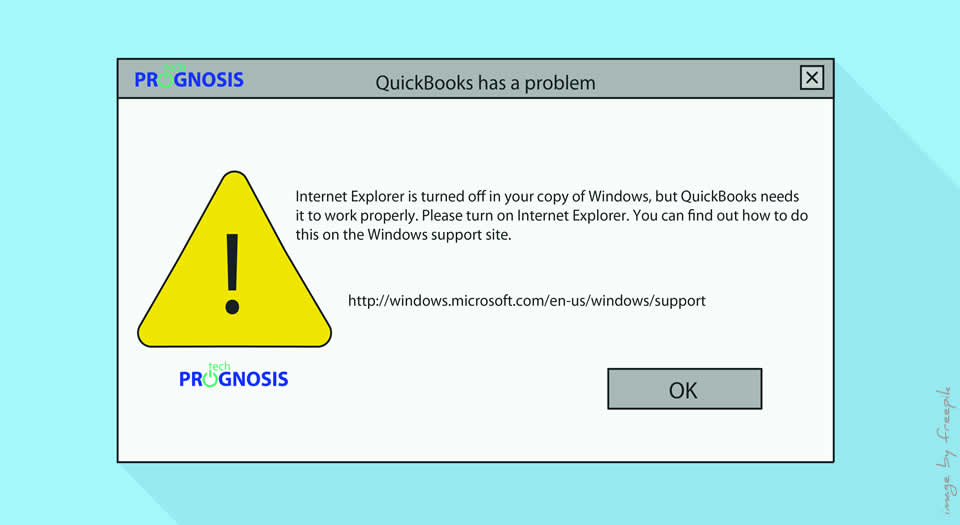
QuickBooks "Internet Explorer is turned off" Error Message

Generally speaking, it is a common practice among IT professionals to associate bad user experience and clunky User Interfaces with legacy applications, and we bemoan the reluctance of users to use new and modern applications “that are right there.”

As a matter of fact, while we very often lament the refusal of technology users to wean themselves away from using legacy or outdated applications, the reality could be that sometimes, users have no choice in the matter: use legacy apps, or productivity comes to a screeching halt.

What Is A Legacy Application?

A legacy application (legacy app) is a software program that is outdated or obsolete. Although a legacy app still works, it may be unstable because of compatibility issues with current operating systems (OSes), browsers and information technology (IT) infrastructures. – – Definition from TechTarget

For example, at the start of 2016, Microsoft ended support for all versions of Internet Explorer (IE) prior to version 11. Users still browsing with older versions like IE 6 could continue to do so, but website pages were no longer going to be coded to be compatible, and any bugs or errors within the Internet Explorer program will not receive attention from Microsoft.

Read more

Share
Share
Share