If there is one thing most small businesses can agree on is that time equals money. Small business owners are in a position where they have to be a jack-of-all-trades, often spending most of their day wearing different hats. This is the nature of the small business and while expected is not always the best use of time.
In order for a small business to be successful and remain competitive in an industry, there must be designated time for the owner to focus on growing and building the business. In many cases small businesses fail as a result of being unable to handle emergencies or other situations that are simply beyond the control and expertise of the owner. Leveraging Managed IT Services can help.
Is there a particular time a business owner or the leader of an organization should decide that they and their organizations are ready for Outsourced IT Services?
If you are a small business owner and considering whether or not Outsourced IT Services will benefit your company, the answer is almost always- yes.
There is little doubt that most small businesses can benefit from Outsourced IT Services, yet that in itself does not always justify the cost of bringing on a third party provider.
Accepting that Outsourced IT Services Providers can offer solutions to common problems found in small business operation, the real question is: when does it make sense to switch from in house IT solutions to the next level which includes Outsourced IT Services?
There is a good chance if you are already considering Outsourced IT Services, the time might be near when you are ready to make the switch. Small business owners do not have the luxury of a never ending IT budget, therefore it is very important to recognize when your current IT management is no longer cost effective.
Regular patch management is crucial for the security of the computer network of your business.
Whether it is from Microsoft, Adobe, Quark, Océ, Kodak, Xerox, or for SmartBoard, PitStop, Quite Imposing etc., patches are released by software vendors usually to address security issues or to provide bug fixes. Occasionally they enhance or add new features.
Because software security vulnerabilities are the most common ways through which malware can penetrate your computer network, patch management is a good security blanket. While antivirus solutions are great for detecting and removing malware once it is detected on your system, security patches are aimed at closing the doors that malware can use to reach to your system.
Since 2005, there have been over eleven million records breached, according to Privacy Rights Clearinghouse. And those are just from the publicly disclosed data breaches. The large majority of security vulnerabilities that led to those data breaches could have been fixed by applying the latest patches provided by software vendors. But as we know, commercial printers have unique environments with sometimes ridiculously outdated hardware and software – Novell 3.1 anyone? How about that DocuTech 1.0 with software that can only be fixed by that guy in California?
Then you have Canon, Xerox, and Océ with their servers and workstations that no one knows what they are doing other than we “just send files to them”. And you can’t update them either, or something will break. We still have a couple of those stuck on Windows XP, or Windows 7.
If you need more proof about the critical nature of patch management, according to ServiceNow, as noted in this article, a survey of nearly 3,000 cybersecurity professionals around the globe found that “almost half of organizations suffered a data breach in the last two years. Of these, the majority said that they had been breached because of a vulnerability—for which a patch was already available.”
In order to stay ahead of the constant threats posed by cyber attacks, keep their customers satisfied, and stay profitable, businesses and organizations have to make sure that their computer networks are up, running, secure and problem-free.
Are you frustrated with on-going computer problems – slow machines, error messages, viruses, spyware, printers not working, applications crashing, and other issues that drive you nuts? You are not alone!
Several small and medium sized business (SMB) owners struggle with this problem all the time, primarily because of resource constraints – small staff, limited budget, and the high cost of hiring a skilled IT expert etc.
But there are those who have figured out a way to completely ELIMINATE those problems from cropping up, finally and forever…and it didn’t cost them a dime.
Keeping technology simple, a culture of continuous improvement, and the Tech Prognosis IT Support service are some ways to make a good technology investment.
How many times have you purchased new software or hardware, and avoided the help menu or user manual? Experts reason that about 90 percent of all features included with software go unused! Much of this comes down to lack of training for individuals using the technology – they use what they know and need most, and avoid anything that would require study or practice to implement. It’s human nature to take the path of least resistance, but with a little motivation you could better benefit from the money spent on technology for your business.
Do You Know Your Computer Network? The often overlooked and sometimes taken for granted software and hardware that make things happen daily for your business or organization. The computers and laptops, servers and switches, firewalls, the power strip etc. How much of your computer network environment do you actually know?
First of all, it is a fact that the cost of doing business has made it a tough going for many small organizations. Therefore, as CEOs of small businesses and Executive Directors of nonprofit organizations are contemplating how to keep customers, employees and donors happy, a lot of offers are bound to be presented, all promising to save cost and provide I.T. nirvana.
For that reason, before you throw the doors open for service providers to come to your environment and start mucking around, it may be a good time to backup for a minute and take time to ask yourself these few questions:
Do you know what you have, in terms of computer network infrastructure?
Do you know your hardware and software?
If the answer is no, maybe or not sure, start the documentation process now. You should know your network devices, operating systems and software programs.
Do you know the difference between a home router and an enterprise router?
If you are using consumer brands like D-Link, Netgear, or Linksys routers to connect your commuter network devices, the answer is probably “No”.
While such routers are great to connect home networks to the Internet, they are probably not the best option for most midsize businesses. Almost all of these types of routers do not have capabilities for enterprise grade management. Furthermore, they lack troubleshooting features, and for that reason, they have weak performance capabilities, reliability options, and above all, lack the protocols and modules required for most company networks.



 Whether it is from Microsoft, Adobe, Quark, Océ, Kodak, Xerox, or for SmartBoard, PitStop, Quite Imposing etc., patches are released by software vendors usually to address security issues or to provide bug fixes. Occasionally they enhance or add new features.
 Keeping technology simple, a culture of continuous improvement, and the Tech Prognosis IT Support service are some ways to make a good technology investment.
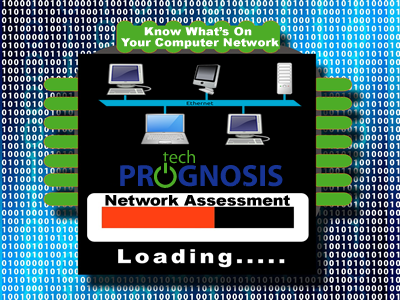 Do You Know Your Computer Network? The often overlooked and sometimes taken for granted software and hardware that make things happen daily for your business or organization. The computers and laptops, servers and switches, firewalls, the power strip etc. How much of your computer network environment do you actually know?