
How Businesses Can Protect Their Wireless Access Points

Image of Wireless Access Points And Devices

The current high rate of mobile users warrants that wireless access users, especially business users, should know how to protect their wireless access points.

First of all, regular business travelers, high-tech adventurers, or those who just love traveling are increasingly vulnerable to unique cyber security threats. This is even more dire in the case of business travelers because they often carry sensitive data that may be personal or business related.

And most noteworthy, this sensitive data reside on a variety of devices from laptops, tablets, and smartphones to other smart devices such as wearables and home appliances.

A recent survey of financial districts found a high percentage of Wi-Fi clients actively probing for “Free Public WiFi”, and cyber criminals create fake wireless access points (SSIDs), hoping that unsuspecting users will log into one of these.

Fraudulent SSIDs Can Lead To Wireless Access Points Attack

It can be tough to convince users — especially those challenged by shrinking travel budgets — to avoid the temptation and draw of free wireless Internet access. When employers can’t or won’t pay for unlimited wireless Internet, employees get creative. Why should they waste thankless hours waiting for planes and trains when they could be using Free Public WiFi to catch up on mail, download iTunes, or watch a little Slingbox?

Read more

Share

7 Critical Cyber Security Measures for Associations

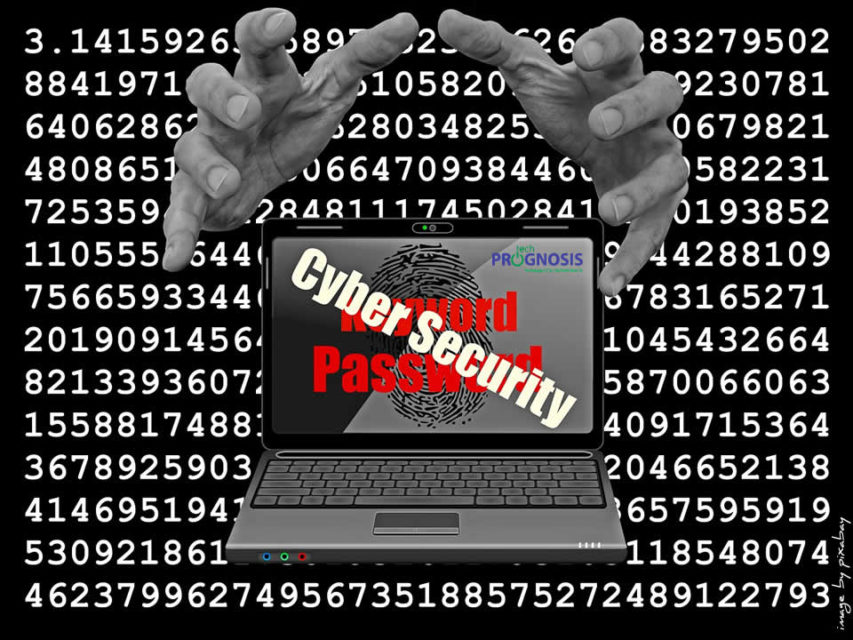
Image of two hands attempting to grab a laptop with the words "Cyber Security" and "Password" on the screen

Your Computer Network Is Being Haunted, And Your Membership Association is Under Cyber Security Attacks.

Right now, Cyber Security attacks are being perpetrated by extremely dangerous and well-funded cyber crime rings using sophisticated techniques to hack into thousands of membership associations to steal credentials, credit cards, and other confidential business data with one goal in mind: blackmail the executives of these associations to recover data, and swindle money directly out of their organization’s bank accounts.

This new threat is called CEO Phishing, and it is a real threat. FBI also calls them “Business Email Compromise” (BEC). If you’ve recently received a bogus email supposedly from your Executive Director, Chief Financial Officer, or a member of the board asking for a bank transfer, you just got a taste of this threat.

82,000 NEW malware threats are being released every single day and HALF of the cyber security attacks occurring are aimed at small organizations just like yours. You just don’t hear about it because it’s kept quiet for fear of bad PR, lawsuits and sheer embarrassment.

The National Cyber Security Alliance reports that 1 in 5 small businesses have been victims of cyber security crime in the last year and this number is growing rapidly as businesses continue to move to cloud computing and mobile device, and to store more information online.

The worst part of this is that all the current security tools we pile onto the network are practically useless against these types of cyber security attacks because they target human beings. This is what is popularly known as social engineering attacks.

According to security experts, the most advanced antivirus software, firewall, spam filter, two-factor-authentication, intrusion detection system, secure web application firewall, and data encryption tools will not stop these types of attack.

What can you do?

Read more

Share

Avoid Four Common Business Office Move Mistakes

Image of movers and a deilivery truck

A business office Move always present a big pain for those involved, but it doesn’t have to be a horrific, expensive experience. The number one complaint from someone who’s experienced a “bad” move is, “I didn’t know I needed to…” followed closely by “I completely forgot that…” In other words, it’s what you don’t do that makes the move a disaster.

To make your business office move easy and effortless, here are the 4 most common  mistakes to avoid:

Mistake #1 — Not Using A Checklist
One common business office move mistake is not using a checklist. This may seem like a no-brainer to those who manage projects, but project management may not be a forte of someone placed in charge of your move (like an office admin, or the IT guy). Even those who use a list typically fail to make the list detailed enough.

Read more

Share

Mobile Device Safety Tips For Commercial Printing Executives

Image of a mobile phone with a chain and padlock on it as a symbol of mobile device safety

Mobile Device Safety Tips For Commercial Printing Executives

It is safe to say that most executives of commercial printing businesses are tied to their mobile phones. Given the sensitive nature of the customer data they sometimes have to manage and communicate, mobile device safety is very important.

Commercial printing executives sometimes have a crazy schedule, and usually have to deal with the erratic demands from customers who want the job done now, on the fly – even when Print-on-Demand customers submit design materials late, or approve proofs at the last minute.

Mobile devices come in handy for looking up requests for quotes, proof approvals, sending files to customers, and browsing websites. At times, when there is a little break from the hectic schedule, mobile devices allow us to keep in contact with friends and family, buy stuff, and pay bills.

Mobile devices can be a double-edged sword. They allow us to store data, contact information, photos, emails and files; and when we can afford to take breaks, provide a source for entertainment.

They could also be a major source of headaches by exposing users to malicious software.

Not managing their usage properly can lead to situations where all that personal information and valuable data, not to mention the information of customers and partners, could be at risk.

Read more

Share

Prevent Downtime, Keep Cyber Thieves At Bay, and Prepare For Disaster

How Organizations Can Prevent Downtime And Ensure That Even If Cyber Thieves Keep A-Knockin’, They Can’t Come In

Image of icons of security shield, bug prevention, and secure laptop

Small businesses and organizations in Round Rock, Texas and surrounding cities can prevent downtime, keep cyber thieves at bay, and prepare for disaster by implementing simple backup and disaster recovery strategies.

A study presented at the International Conference on Dependable Systems and Networks showed that small-business networks are attacked every 39 seconds by some type of hacker or malicious software. Thankfully, having the proper firewall and office network security tools can prevent even the most determined cyber hacker from getting his hands on your network. Are your systems covered?

Does your organization have someone looking after the network who knows what they’re doing? Or is the IT position assigned to the so-called “Accidental IT Person” – an ad hoc position taken on by whoever knows the most about computers? The danger  of not being able to prevent downtime here is that if this person has a full-time job, perhaps as the office manager, or graphic designer, they won’t necessarily be keeping everything locked down and updated.

A good way to prevent downtime is to have a dedicated IT person on staff, or outsource the task to a local computer service company. By leveraging an IT services provider, you will have access to a team of qualified experts.

Read more

Share

10 Small Business Network Disaster Planning Essentials

Image of business people sitting around a table discussing disaster recovery planning options.

If your critical data is important to your business and you cannot afford to have your operations halted for days – even weeks – due to data loss or corruption, then you need to read this report on disaster planning and act on the information shared.

A disaster can happen at any time on any day and is likely to occur at the most inconvenient time. If you aren’t already prepared, you run the risk of having the disaster coming before you have in place a plan to handle it.

This report will outline 10 things you should have in place to make sure your business could be back up and running again in the event of a disaster.

1. Have a Written Plan

As simple as it may sound, just thinking through in ADVANCE what needs to happen if your server has a meltdown or a natural disaster wipes out your office, will go a long way in getting it back fast.

At a minimum, the plan should contain details on what disaster could happen and a step-by-step process of what to do, who should do it and how. Also include contact information for various providers and username and password information for various key web sites.

Writing this plan will also allow you to think about what you need to budget for backup, maintenance and disaster recovery. If you can’t afford to have your network down for more than a few hours, then you need a plan that can get you back up and running within that time frame.

You may want the ability to virtualize your server, allowing the office to run off of the virtualized server while the real server is repaired. If you can afford to be down for a couple of days, there are cheaper solutions.  Once written, print out a copy and store it in a fireproof safe, an offsite copy (at your home) and a copy with your IT consultant.

2. Hire a Trusted Professional to Help You

Trying to recover your data after a disaster without professional help is business suicide; one misstep during the recovery process can result in forever losing your data or result in weeks of downtime. Make sure you work with someone who has experience in both setting up business contingency plans (so you have a good framework from which you CAN restore your network) and experience in data recovery.

Read more

Share
Share
Share