Modern Recovery Planning: A Central Texas Business Guide

Business professional walking through flooded Central Texas street during severe storm, holding umbrella and briefcase. A case for why modern recovery planning is essential.

When Disaster Strikes: A Central Texas Business Guide to Modern Recovery Planning

How Round Rock, Austin, and Central Texas Businesses Can Plan Modern Recovery by Building Resilience Using the NIST Cybersecurity Framework and Cloud Technologies


Executive Summary

Central Texas businesses face frequent disruptions—from severe winter storms and flash floods to cyber incidents. A modern recovery strategy combines Business Continuity Planning (BCP) and Disaster Recovery Planning (DRP) within the NIST Cybersecurity Framework’s Recover function to minimize downtime and protect revenue. Cloud approaches (e.g., “pilot light” on AWS/Azure) now deliver near–enterprise‑grade recovery at a fraction of the traditional cost.

Quick next step:
Schedule your free 15‑minute discovery call to discuss your recovery objectives (RTO/RPO) and build a right‑sized cloud‑enabled plan for your Round Rock, Austin, or broader Central Texas operations.

Read more

Share

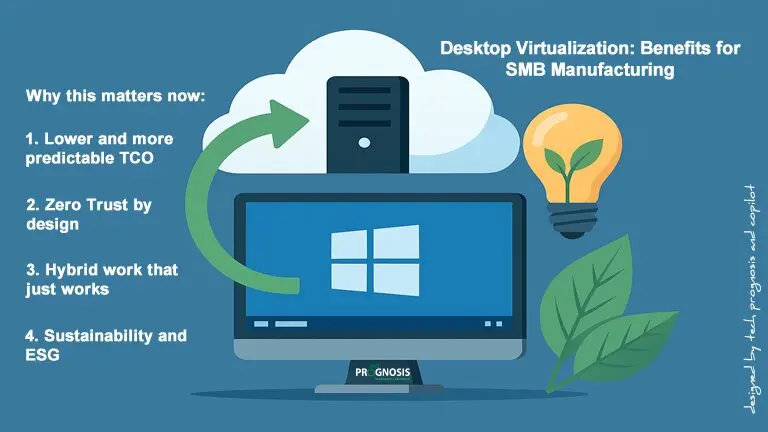
Desktop Virtualization: Benefits for SMB Manufacturing

Illustration of desktop virtualization concept showing a computer screen with Windows logo, cloud server, green arrow, light bulb, and leaves symbolizing sustainability.

The Future of Work is Here: How Modern Desktop Virtualization Empowers Your Team (and Your Bottom Line)

Imagine this: Your manufacturing team needs to access critical CAD software from the shop floor, the home office, and a client site—all in the same week. Or your accounting firm just onboarded five seasonal auditors who need secure access to sensitive financial data without waiting weeks for new laptops. Sound familiar? Modern desktop virtualization can empower your team (and your bottom line).

Desktop virtualization makes these scenarios not just possible, but simple. And the best part? It’s no longer reserved for enterprise giants with massive IT budgets. Today’s solutions are designed with small and mid-sized businesses in mind.

Let’s explore how modern desktop virtualization can transform the way your organization works—without the tech headaches.


What Is Desktop Virtualization, Anyway?

Think of desktop virtualization as running your computer “in the cloud” instead of on a physical machine sitting under your desk. Your team members can access their familiar Windows desktop, applications, and files from almost any device—whether that’s a laptop at home, a tablet on a job site, or a thin client terminal on the manufacturing floor.

Read more

Share

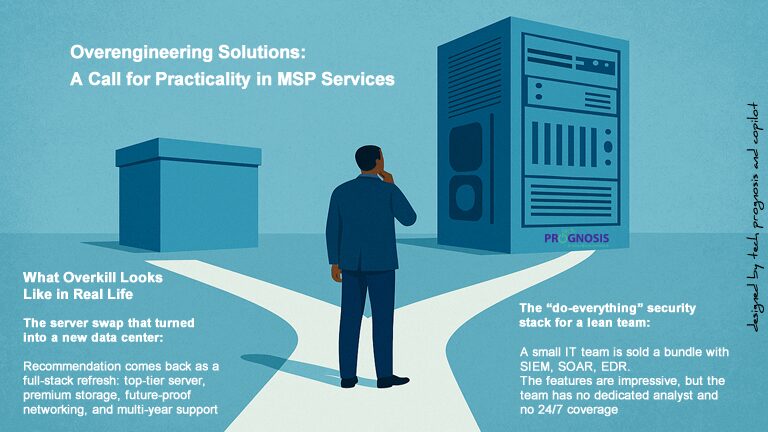
Overengineering Solutions: A Call for Practicality in MSP Services

Illustration of a business professional standing at a crossroads, deciding between a simple box and a large server tower, symbolizing overengineering versus practical solutions.

Too many managed service providers (MSPs) still prescribe solutions that are bigger, pricier, and more complex than what clients actually need. Overengineering solutions not only wastes budget—it also slows teams down, erodes trust, and makes day‑to‑day operations harder. The fix is simple, but it takes discipline: start with the business problem, apply a risk‑based lens, right‑size the solution, and co‑design with the people who will live with it.

This post shares real‑world examples, root causes, and a practical framework you can use today.

Why This Question on Overengineering Solutions Still Matters

In a world of nonstop product launches, aggressive vendor marketing, and a constant drumbeat of “more features, more protection,” it’s easy to equate complexity with quality. But for many organizations—especially small and mid‑size businesses—large, layered solutions can be the wrong fit. They can consume scarce budgets, demand skills that the team doesn’t have, and introduce new points of failure.

Right‑sizing solutions is not about cutting corners. It’s about delivering outcomes that match the organization’s goals, resources, and risk tolerance. It’s about respect: the kind that honors each client’s constraints and aspirations. And it’s about trust—because teams remember when you take care to recommend what works, not simply what sells.

Read more

Share

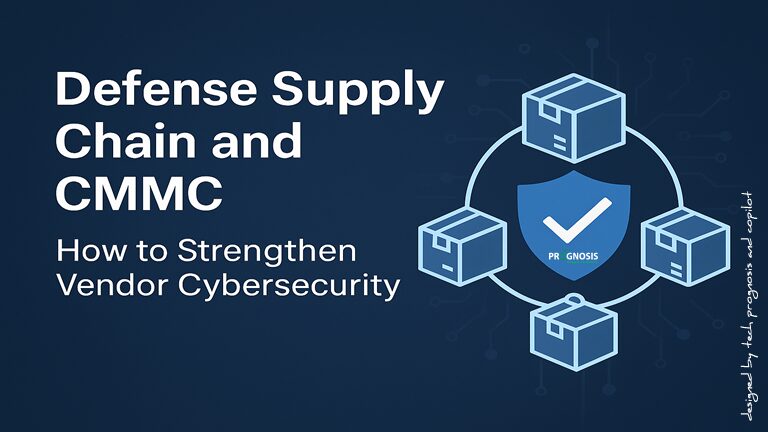
Defense Supply Chain and CMMC: Practical Steps for Vendor Security

Illustration of secure defense supply chain with shield and interconnected boxes representing vendors

CMMC 2.0 and Defense Supply Chain Attacks: Practical Steps to Build Resilience Across Your Vendor Ecosystem

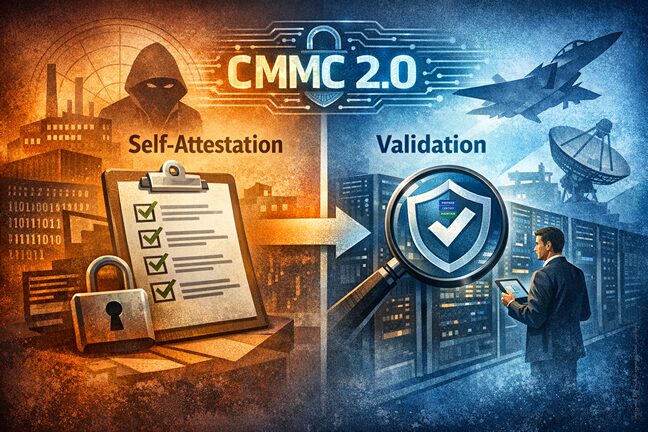
Supply chain attacks keep rising because attackers go where trust and access already exist—third-party vendors, managed service providers, and software suppliers. If you handle Federal Contract Information (FCI) or Controlled Unclassified Information (CUI), your security posture is only as strong as your partners’. CMMC 2.0 responds to this reality by placing verifiable expectations on every tier that touches sensitive DoD data. In this post, we’ll break down the threat, connect it to CMMC’s objectives, and share a practical roadmap you can start using today—grounded in inclusive, plain language and real-world scenarios.

Why the Defense Supply Chain Is a Prime Target

  • The attack surface is huge. Organizations share data with hundreds of vendors, yet few have mature processes to evaluate and improve vendor cybersecurity posture. In 2023, 15% of breaches involved a defense supply chain compromise, and 98% of companies had at least one vendor that experienced a breach. This is a perfect storm of exposure and limited oversight.
  • High-profile cases illustrate the risk. The SolarWinds Orion compromise showed how malicious code in a trusted update can ripple across government and commercial networks. Likewise, the 2023 third-party breach linked to Infosys McCamish Systems affected more than 57,000 Bank of America-related entities, underscoring how downstream vendors can become a gateway for attackers.

Inclusive takeaway: regardless of your organization’s size, role, or location within the Defense Industrial Base (DIB), defense supply chain risk touches everyone who processes, stores, or transmits FCI/CUI.

Read more

Share

CMMC Audit Guide: How to Detect Hidden or Forgotten Systems

Simulation of a CMMC audit showing a cybersecurity auditor reviewing network map and CMMC scoping guide to detect hidden systems during compliance assessment.

Detecting Concealed, Forgotten, or “Conveniently Omitted” Systems During a CMMC Audit

Hidden assets—forgotten servers, unregistered devices, and unmonitored cloud instances—can derail a CMMC assessment. This practical guide helps you spot them early, align your scope with DoD rules, and prepare for a CMMC audit like a pro.

Why hidden systems matter for a CMMC Audit

In CMMC Level 2, your environment must meet the NIST SP 800‑171 requirements for systems that process, store, or transmit CUI—and certain systems that provide security services to those systems. If your scope misses assets, your controls won’t cover the real environment, which leads to findings. The DoD’s Final CMMC Rule formalizes verification, introduces annual affirmations of ongoing compliance, and ties certification status to contract award and performance—so accuracy isn’t optional. [cmmcaudit.org]

Read more

Share

Virtualization and the Small Business Owner (2026 Edition)

Illustration of a central server connected to multiple devices (laptop, desktop, tablet) with cloud icons, symbolizing virtualization and hybrid cloud integration for small businesses.

How Small Businesses Can Use Virtualization in 2026

Virtualization has moved from “promising” to practical and pervasive. In 2009, running six servers on 8 GB of RAM felt remarkable. Today, consolidation, hybrid cloud, containerization, and Desktop‑as‑a‑Service (DaaS) make modern small‑business IT more scalable, secure, and cost‑aware than ever. This guide shows how to choose—and succeed with—the right mix of virtual machines (VMs), containers, and cloud desktops for your business.

1) What “Virtualization” Means Today

Virtual machines (VMs) still anchor most business workloads. A hypervisor (like Hyper‑V, KVM, or VMware by Broadcom’s vSphere) runs multiple guest operating systems on one physical host, isolating workloads while boosting utilization. Linux’s KVM is built into the kernel, delivering near‑native performance for many workloads and supporting both x86 and Arm hosts. [kernel.org]

Read more

Share
Share
Share