Modern Recovery Planning: A Central Texas Business Guide

Business professional walking through flooded Central Texas street during severe storm, holding umbrella and briefcase. A case for why modern recovery planning is essential.

When Disaster Strikes: A Central Texas Business Guide to Modern Recovery Planning

How Round Rock, Austin, and Central Texas Businesses Can Plan Modern Recovery by Building Resilience Using the NIST Cybersecurity Framework and Cloud Technologies


Executive Summary

Central Texas businesses face frequent disruptions—from severe winter storms and flash floods to cyber incidents. A modern recovery strategy combines Business Continuity Planning (BCP) and Disaster Recovery Planning (DRP) within the NIST Cybersecurity Framework’s Recover function to minimize downtime and protect revenue. Cloud approaches (e.g., “pilot light” on AWS/Azure) now deliver near–enterprise‑grade recovery at a fraction of the traditional cost.

Quick next step:
Schedule your free 15‑minute discovery call to discuss your recovery objectives (RTO/RPO) and build a right‑sized cloud‑enabled plan for your Round Rock, Austin, or broader Central Texas operations.

Read more

Share

Windows 10 End of Support: What Happens To Healthcare Applications

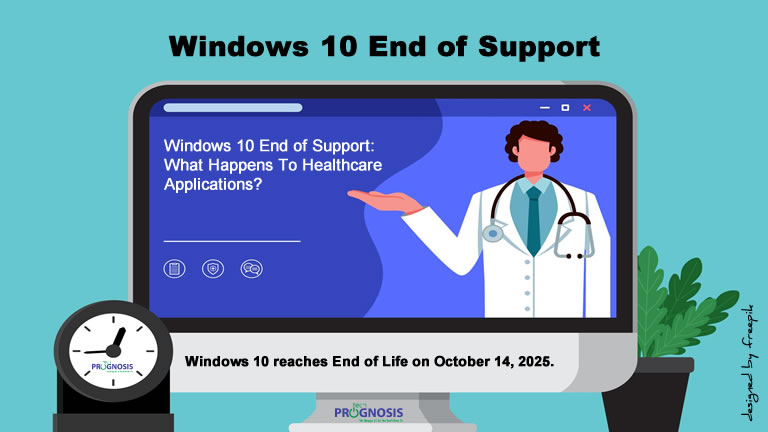
A computer desktop monitor showing an image of a doctor with a stethoscope around his neck gesturing toward a text on the screen asking the question: "Windows 10 End of Support: What Happens to Healthcare Applications”

What Happens to Healthcare Applications After Windows 10 End of Support?

A Cybersecurity Expert’s Guide for Clinics, Practices, and Health Systems

📅 October 14, 2025 is more than just a date on the calendar. It’s when Windows 10 reaches end of life, and with that, your healthcare IT environment could be at serious risk.

Whether you’re a small practice using EHR software on a few desktops or a larger provider with integrated patient care systems, the end of Windows 10 support could expose your patients’ data, impact compliance with HIPAA, and disrupt care delivery.

If you’re still using Windows 10 after the cutoff date, it’s not just your operating system that will be at risk – your critical healthcare applications could be affected too. Let’s break down what you need to know.

Read more

Share

Phishing Protection Checklist for Law Firms

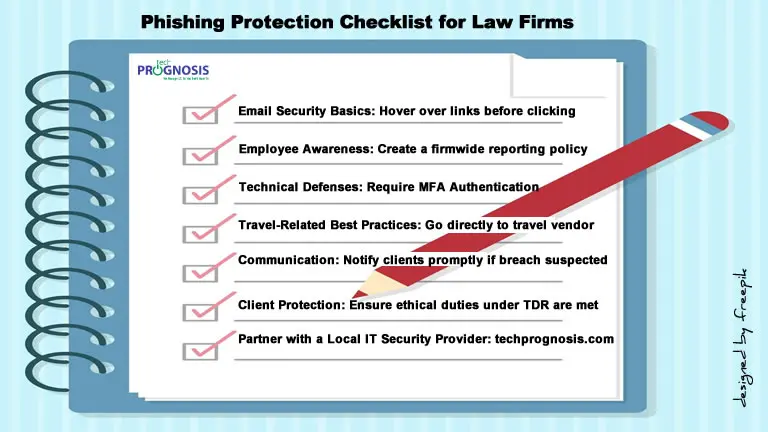
Texts in book binder format of critical phishing protection checklist for law firms.

Phishing Protection Checklist for Law Firms

Safeguard Your Legal Practice from Email Scams—Especially During Travel Season

Below is a Downloadable Phishing Protection Checklist tailored for law firms in the Austin, Texas area. It’s designed to help your legal team quickly spot phishing scams—especially travel-related ones—and take proactive steps to protect confidential data, client trust, and firm finances.

🔒 Email Safety Basics

✔️ Double-check sender email addresses before opening messages
✔️ Never click links in unexpected travel confirmation emails
✔️ Avoid downloading attachments unless verified
✔️ Hover over hyperlinks to see the actual destination URL
✔️ Use a spam filter and block known malicious domains

Read more

Share

Business Impact Analysis: Principles, Methodologies, Challenges, and Best Practices

Male and female looking at a simulated Business Impact Analysis (BIA) dashboard with a huge magnifying glass.

The Complete Guide to Business Impact Analysis (BIA): Principles, Methodologies, Challenges, and Best Practices

Let’s talk about something that might sound a bit dry at first – Business Impact Analysis, or BIA for short. But trust me, as someone who’s spent years in the trenches of Governance, Risk, and Compliance (GRC), I can tell you, this is anything but boring. In fact, it’s the superhero cape your organization needs to navigate the unexpected.

Imagine a sudden power outage, a supply chain disruption, or even a cyberattack. What happens next? Do you scramble in the dark, hoping things will magically sort themselves out? Or do you have a plan, a roadmap that guides you through the chaos? That roadmap is built on the foundation of a solid BIA.

BIA helps businesses identify critical functions, assess the potential impact of disruptions, and establish strategies to minimize the effects of disruptions on these functions. This guide dives deep into the concept and principles of BIA, highlighting its role in various sectors, methodologies, challenges, and best practices.

Read more

Share

True Cost of Neglecting IT (Information Technology) and Support

Illustration of essential IT investments concept with technology symbols and text of collaboration and communication, cloud computing and storage, cybersecurity, and secure remote work solutions as a remedy for organizations and businesses neglecting IT (Information Technology) and Support

Neglecting IT (Information Technology) and Support : The Make-Or-Break Factor Business Owners Overlook—Until It’s Too Late

A CIO’s Perspective on IT as a Growth Driver, Not Just a Cost

As the vCIO of a couple of businesses and organizations, I have seen firsthand how technology can be either a strategic enabler or a major roadblock. Too often, business owners focus on growth, sales, and customer experience while leaving IT decisions on the back burner—until something goes wrong.

For many business owners, IT is seen as a necessary expense rather than a strategic asset. But the reality is that your technology infrastructure directly impacts efficiency, security, and growth. Slow computer systems, dropped phone calls impacting sales, outdated software, or weak cybersecurity measures that leave an organization’s data vulnerable don’t just cause occasional frustration—they can create significant vulnerabilities that cost your business time, money, and reputation.

Here’s the hard truth: neglecting IT and support can cost your business more than you think—in lost productivity, security risks, and missed opportunities. The right technology isn’t just an operational necessity; it is a competitive advantage.

So, let me ask you: Is your IT helping your business grow, or is it quietly holding you back?

Read more

Share

IT Preparedness: Six Risk-Based Questions Every Nonprofit Leader Must Ask


Circular diagram infographic showing text of six risk-based questions non-profit leaders must ask about information technology or IT preparedness before their IT expert leaves the organization.

Six Risk-Based Questions Every Nonprofit Leader Must Ask About IT Preparedness Before Their IT Expert Leaves

Nonprofit organizations rely heavily on their in-house IT experts to keep operations running smoothly. But have you ever thought about what happens if that expert suddenly quits? It’s not just an inconvenience—it could be a disaster. Here are six critical questions to help you identify your IT preparedness, identify potential risks and protect your nonprofit.

When your nonprofit’s in-house IT expert suddenly leaves, the organization might face serious challenges—from downtime to security risks. To avoid disruption, leaders must take a proactive approach to understanding and documenting their IT environment. These six questions can help nonprofits of any size safeguard their operations.

Read more

Share
Share
Share