How Small Businesses Can Use Virtualization in 2026
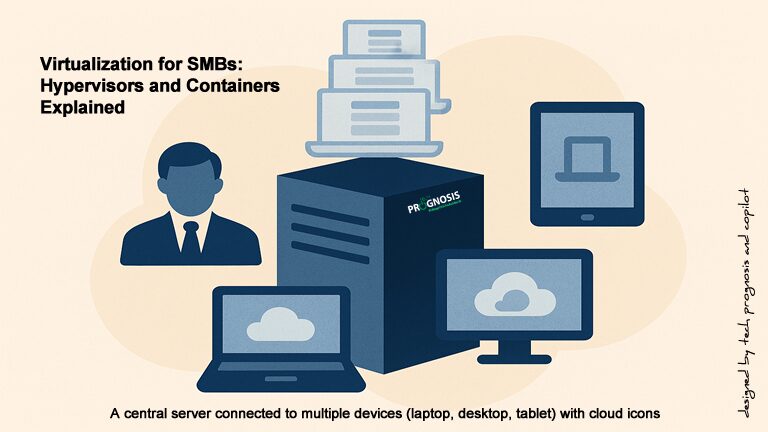
Virtualization has moved from “promising” to practical and pervasive. In 2009, running six servers on 8 GB of RAM felt remarkable. Today, consolidation, hybrid cloud, containerization, and Desktop‑as‑a‑Service (DaaS) make modern small‑business IT more scalable, secure, and cost‑aware than ever. This guide shows how to choose—and succeed with—the right mix of virtual machines (VMs), containers, and cloud desktops for your business.
1) What “Virtualization” Means Today
Virtual machines (VMs) still anchor most business workloads. A hypervisor (like Hyper‑V, KVM, or VMware by Broadcom’s vSphere) runs multiple guest operating systems on one physical host, isolating workloads while boosting utilization. Linux’s KVM is built into the kernel, delivering near‑native performance for many workloads and supporting both x86 and Arm hosts. [kernel.org]
What Happens to Healthcare Applications After Windows 10 End of Support?
A Cybersecurity Expert’s Guide for Clinics, Practices, and Health Systems
📅 October 14, 2025 is more than just a date on the calendar. It’s when Windows 10 reaches end of life, and with that, your healthcare IT environment could be at serious risk.
Whether you’re a small practice using EHR software on a few desktops or a larger provider with integrated patient care systems, the end of Windows 10 support could expose your patients’ data, impact compliance with HIPAA, and disrupt care delivery.
If you’re still using Windows 10 after the cutoff date, it’s not just your operating system that will be at risk – your critical healthcare applications could be affected too. Let’s break down what you need to know.
According to BAE Systems, almost 50 percent of small businesses have experienced a cyber attack, and as much as 60 percent of hacked small- and medium-sized businesses go out of business after six months. By deploying endpoint security solutions, most cyber attack attempts can be prevented.
Faced with limited IT personnel and budget, small business environment usually end up with non-standard computer configurations, inadequate or non-existent security policies, old equipment etc.
The impact of the failure of an endpoint on business processes can be a little scary sometimes. A good example is a call I got from a friend the other day. The boss’s computer had a couple of viruses and they had to disconnect the computer from the network.
Of course that meant business had to come to a halt because everything was on the boss’s computer. There were no anti-virus software on any of the workstations and of course no firewall of any kind, so it was free for all.
URGENT Security Warning For Businesses Running Windows 7. Microsoft is ending support for the operating system starting January 14, 2020.
Your computer network is more important than ever. And so are the computers powering your business or organization. This is especially true if your computer network is still running Microsoft’s Windows 7 operating system which the company plans to retire support for on January 14, 2020.
Not only does that mean that any computer with the operating system installed will be completely exposed to serious hacker attacks aimed at taking control of your network, it also means that business data will be exposed to theft, computer system crashes and the possibilities of a host of other business-crippling problems you do NOT want to have to deal with.
While cloud computing comes to mind when discussing file storage and sharing, the fact still remains that a server computer may really be all a small business or organization needs to improve business and office productivity.
Can a server computer really help your business? So many small business owners seem to think otherwise. The argument is that the old converted Microsoft Windows desktop “server” computer sitting in a corner is doing just fine.
However, that is a disaster waiting to happen and it is bound to become a great drag on business and employee productivity. Server computers are built for storing data in a central location which ultimately saves everyone a lot of time, effort and stress. Think about it for a minute. With your corporate files in a central location, there is less need for your workers or users to try and figure out where a specific file is or who is currently using a specific document. Servers also make it very easy to collaborate on numerous projects and whenever someone updates a file, the new information is instantly available to all.
If your business or organization is still operating in a Peer-to-Peer network environment, you need a network server.
Peer-to-Peer or work-group systems do not provide much in the way of security, and resource sharing can be somewhat problematic. In addition, your organization and users will have problems accessing other workstations, could lose data due to virus or spyware infection, and will likely experience intermittent Internet connectivity problems.
Computers networked in a peer-to-peer fashion may be adequate when you only have a few users on the network, but once you have more then 5 or 6 users on your business network, your organization should really consider investing in a network server computer.
What Is A Server Computer?
A network server computer allows organizations to centralize administration, data backups, file storage, share printers and documents, and host databases.
We recently ran into a “checking battery state” error on a Zorin Linux v7 installation where the system just hung for a long time at the “checking battery state” stage when starting up. Zorin Linux is a very easy to use operating system, especially for those making the transition from a Windows environment. As it turned out, this wierd error was quite easy to rectify.